
Smart Fitness Coach App: What to Look For Before You Choose
A useful fitness app should help you plan workouts, record what you do and make sensible adjustments—without taking control away from you or your trainer. Use this checklist to compare your options.
In this article
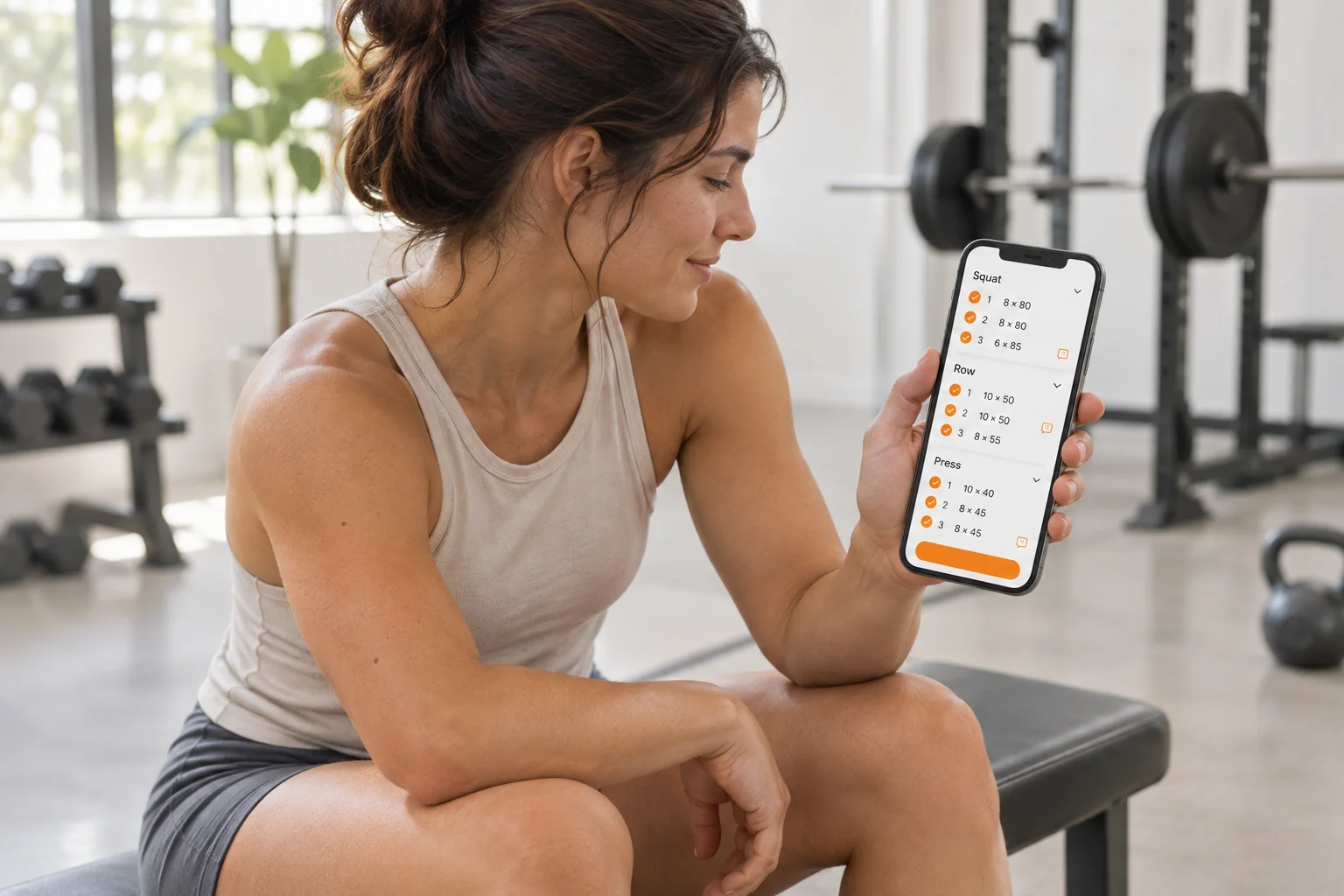
Choosing a smart fitness coach app is less about finding the longest feature list and more about finding a tool that fits how you actually train. You may want a simple place to log sets, a flexible plan you can adjust, input from a real personal trainer, or optional AI help when you are unsure what to do next.
Before you commit to an app, check whether it helps you move through the whole training loop: plan a session, do it, record what happened, and use that information to make a reasonable next decision. The app should support your judgment—not make big promises or hide important choices behind automation.
Here is a practical checklist for comparing fitness coaching apps, with GymPT as one example of an app that connects member training, real trainers and gyms.
What should a smart fitness coach app actually help you do?
A useful app makes it easier to turn an intention into a repeatable routine. It can organize workouts and records, but a busy dashboard is not automatically good coaching. Look for features that solve a real problem in your week.
- Plan: Can you create or follow a routine that fits your goals, experience, equipment and available days?
- Train: Are exercises and workout details easy to find while you are exercising?
- Record: Can you save the details you need, such as exercises, sets, reps, loads or notes?
- Review: Can you see what you have done and use it to make a sensible adjustment?
- Connect: If you work with a trainer, can you share the relevant information intentionally?
These are more practical questions than asking whether an app is “powered by AI.” A tool is only useful if you can understand it, keep using it and act on its guidance.
1. Check whether the workout plan fits your real week
Start with your schedule, not an idealized version of it. Consider how many days you can train most weeks, how long a session can take, what equipment is available and which activities you enjoy. A plan that demands more time or gear than you have may look impressive but be hard to follow.
For general adults, U.S. activity guidance recommends muscle-strengthening activity involving the major muscle groups on at least two days per week. That is a broad reference point, not a personalized prescription. Your app should make it possible to build a manageable routine rather than implying that everyone needs the same split or level of complexity.
Look for a plan you can adjust when your week changes. If you want examples of how training days can be organized, explore a repeatable three-day full-body week or a four-day plan with recovery in mind.
2. Look for useful tracking—not more tracking
Logging is valuable when it helps you make the next session clearer. For strength training, a basic record of the exercise, sets, repetitions and load can help you see what you did last time. A brief note can capture context such as a substitution, a shorter session or a change in how the workout went.
You do not need to record every possible metric. Choose an app that lets you capture the details that matter to your routine without turning the workout into data entry. Consistent, understandable records are more useful than a large collection of numbers you never review.
Use your log to notice patterns, not to treat one session as a verdict. If a load or rep target feels unrealistic on a given day, the app should not pressure you to ignore how the session is going. A good workout log supports reflection and steady adjustments.
3. Decide how much automation you want
AI can be helpful for brainstorming a starting routine, suggesting ways to organize a week or helping you think through an equipment constraint. It is still worth reviewing every suggested plan. Check that the exercises make sense for your situation, the schedule is workable and the instructions are clear enough to follow.
Ask practical questions before using an AI feature:
- Can you set your goals, available days and equipment before requesting suggestions?
- Can you review and edit the result instead of accepting it as a fixed prescription?
- Are optional AI actions and any related requirements clearly shown before you use them?
- Can you keep training if you do not want or need AI assistance?
GymPT supports manual program building without AI credits, alongside optional AI assistance. Members can also review a program proposal prepared by a personal trainer and decide whether to save and use it. Optional AI actions may require credits, and eligible Premium features have separate requirements shown before use. In other words, you can choose the type of support that suits you; AI is not a requirement for core training.
If you are comparing plan-generation tools specifically, use this guide to review an AI-generated fitness plan before you follow it.
4. Check whether a real trainer can fit into the workflow
Automated suggestions and professional coaching are different kinds of support. If you already work with a trainer—or may want to—check whether the app can make the collaboration clear and purposeful. Useful questions include: Can your trainer prepare a program proposal? Can you review it before saving it? Can you share selected records or notes for feedback?
In GymPT, a personal trainer prepares program proposals manually or with AI in the web workspace. You decide whether to save and use a proposal. A trainer can review only the programs, workout records and notes that you permit them to share. This gives you a say in what you share rather than assuming that every training detail is visible to someone else.
For example, after a workout you might choose to share your record and a short note about an exercise substitution, then ask your trainer whether the next session should change. That is a clearer coaching conversation than sending a stream of unrelated metrics. Any optional weekly AI summary also depends on the appropriate sharing grants.
5. Read the privacy and sharing controls
Workout notes and training records can be personal. Before choosing an app, look for a plain-language explanation of what information it collects, how it is used, whether it is shared and what controls you have. Check the actual sharing settings rather than assuming a connection means you have shared—or hidden—everything.
Consider these questions:
- Can you choose which programs, records or notes a trainer can review?
- Can you understand who has access to the information you choose to share?
- Are optional sharing or AI-summary permissions explained clearly?
- Can you change your sharing choices when your needs change?
GymPT’s sharing model is permission-based: trainers review only the client-shared programs, workout records and notes available to them. Gym connections are approved, and gyms manage their accessible branches and staff roles. Do not assume that connecting with a gym gives every staff member access to all your personal training information.
6. Understand what is included and what is optional
Compare the everyday training workflow before comparing upgrade labels. Can you create a manual plan, keep records and maintain the connections you need? Then check which particular actions have separate requirements, such as optional AI support or an eligible Premium feature. The app should show those requirements before you use the feature.
GymPT’s core training does not require a paid subscription, and a free account saves records and connections. Members can build a manual program without AI credits, request AI support or consider a trainer’s proposal. Optional AI actions can require credits, while eligible Premium features have separate requirements displayed before use. That distinction helps you decide whether an optional feature is useful to you without confusing it with the basics of training.
7. Test the app with a simple, repeatable routine
Before building a complicated program, use the app to plan and record a small, realistic training week. For example:
- Choose two or three days you can usually protect.
- Select a manageable set of exercises that match your available equipment.
- Record the work you complete and any useful notes.
- Review the records before the next week and make one deliberate adjustment if needed.
- If you work with a trainer, share only the information relevant to the question you want to ask.
This short trial shows whether the app works at the moment you need it: when planning, during a workout and when looking back. It also reveals whether the app gives you a clear path to adjust the routine, rather than simply adding more prompts and features.
How to tell whether the app is a good fit
After trying it, ask yourself: Was it easy to start? Could I record a session without interrupting it? Do I understand what I can share? Can I continue with a manual plan if I do not use AI? If I have a trainer, can I review their proposal and decide whether it fits?
A smart fitness coach app should make consistent training easier to organize, not promise effortless results. Choose the option that fits your routine, offers understandable records and gives you appropriate control over suggestions and sharing. GymPT brings manual training, optional AI support, member-reviewed trainer proposals and permission-based connections into one workflow—so you can choose the level of support that works for you.