Exercise Tracking App: Build a Workout Log You’ll Actually Use
A useful exercise log is more than a list of numbers. Learn what to record, how to review consistency and performance trends, and how to use GymPT to keep your training history in one place.
In this article
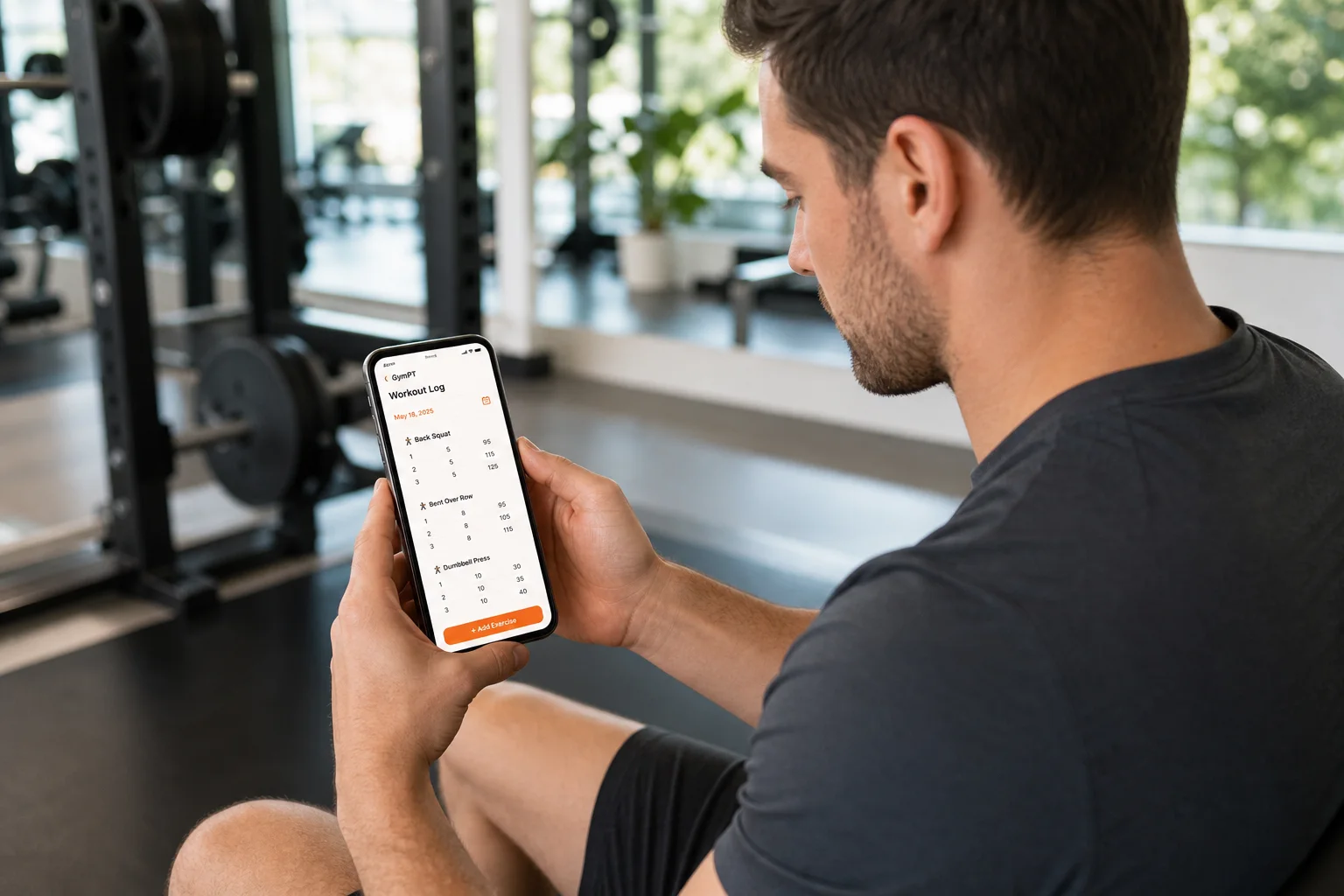
An exercise tracking app can help you remember what you did, notice changes over time, and make your next workout easier to plan. But tracking only helps when the records are clear enough to use and simple enough to keep up with.
You do not need to measure everything. Start with the details that answer practical questions: Have I been training regularly? What did I do last time? Is my performance changing under similar conditions? This guide shows you how to build a useful workout log, review it without overreacting to one session, and choose an app that fits your routine.
What an exercise tracking app should help you do
A good log turns scattered memories into a training history you can review. For strength sessions, that might include exercises, sets, repetitions, and the load used. For cardio, you might record activity, duration, and distance when relevant. A short note can capture context, such as using a different variation or changing the workout because equipment was busy.
The aim is not to collect the most data. It is to record enough to make a useful comparison later. If a metric does not help you plan, assess consistency, or understand a session, it may not need a place in your routine.
- Session details: date, workout or activity, and exercises completed.
- Performance details: sets, repetitions, load, duration, or distance—depending on the activity.
- Useful context: exercise variations, equipment changes, or a brief note about how the session went.
- Plan versus completed work: what you intended to do and what you actually did, if those differed.
Keep personal notes relevant to training. GymPT is a fitness app, not a medical device, and an exercise log is not a substitute for qualified medical advice.
How to use workout records to spot meaningful trends
A single workout is a snapshot, not a verdict. Performance can vary with sleep, schedule, stress, equipment, exercise order, and other day-to-day factors. Review multiple comparable sessions before deciding that a trend is emerging.
Compare like with like
When you review a lift, check whether the movement, equipment, range of motion, and set structure were reasonably similar. A different version of an exercise may not be a fair one-to-one comparison. For cardio, compare sessions with similar duration or route when that is practical.
Look for more than bigger numbers
Progress can show up in different ways: completing planned sessions more consistently, performing the same work with a little more load, doing more repetitions at a similar effort, or sustaining an activity for longer. These examples are ways to interpret your own log—not guarantees of a particular result.
For a strength-training plan, use your history as context rather than a command to add weight every time. Consider your plan, the quality of the work, and how the session felt. If you want a deeper guide to choosing what to adjust, read Progressive Overload Workout Plan: Track Progress Without Guesswork.
Make consistency easier to see
One of the most practical uses of an activity log is checking whether your routine matches your intentions. Look back over a realistic period—such as the last few weeks—and note how often you trained, what sessions you completed, and what disrupted your plans.
If you missed sessions, treat the record as information, not a score. Was the plan too ambitious for your schedule? Did you lack an alternative for a busy day? Would a shorter session or different weekly structure be easier to repeat? Adjusting the plan to fit real life may be more useful than setting a stricter target.
For general activity, the CDC recommends setting goals, choosing activities that suit you, and tracking weekly activity. A simple diary or app can make your pattern easier to review. Your own target should fit your circumstances and current plan.
A five-minute weekly review
Set aside a few minutes once a week to turn your records into one practical decision. You do not need a complicated report or a perfect streak.
- Check what happened: Which planned workouts or activities did you complete?
- Notice one pattern: Look for a repeatable observation, such as a session that fits well after work or an exercise that needs a substitute when equipment is occupied.
- Review comparable performance: If you have several similar sessions, note whether work stayed steady, changed, or felt unusually difficult.
- Choose one next step: Keep the plan, make a modest adjustment, or ask a trainer to review it with you.
- Keep the log manageable: Remove fields you never use and retain the information that helps with your next decision.
For example, if your record shows that you regularly skip a longer midweek session, you might ask whether a shorter workout or a different training day is more realistic. The log does not make that choice for you; it helps you see the pattern clearly.
Choose an exercise tracking app that fits your workflow
When comparing workout logging options, look beyond the number of charts or metrics. Ask whether you can record the activities you actually do, find past sessions without hassle, and keep your routine usable when your plan changes.
- Easy recording: Logging a session should not become a second workout.
- Readable history: You should be able to find previous records and understand what they describe.
- Flexible planning: Your training may change with your equipment, schedule, or goals.
- Appropriate support: If you work with a trainer, understand what information you share and what remains private.
GymPT connects members with real personal trainers and gyms, with optional AI support. Members can build a manual program without AI credits, request AI assistance where available, or review a trainer’s program proposal and decide whether to save and use it. A free account saves records and connections; core training does not require a paid subscription. Optional AI actions may require credits, and eligible Premium features have their own requirements displayed before use.
GymPT puts control over shared training information with the member. Trainers can review only the programs, workout records, and notes a client permits them to share. Optional weekly AI summaries also require the appropriate grants. If you want to understand how a trainer might review your records, see Personal Trainer Training History Review: A Practical Workflow for Better Programming and Personal Trainer Client Privacy Workflow: A Practical Guide.
Keep the numbers in perspective
Tracking can support awareness and planning, but it does not need to become a test of your worth or motivation. A missing entry does not erase a workout, and a quiet week does not tell the whole story. Record what you can, review patterns over time, and adjust your plan thoughtfully.
Research on activity trackers and apps suggests that self-monitoring and feedback can support physical activity for some people, though effects vary and the evidence has limitations. The useful takeaway is modest: a log may help you notice what you are doing and make a more informed next choice. It cannot promise a particular outcome.
Start with one useful record
For your next session, log the date, activity, main work completed, and one note only if it will help you interpret the session later. Repeat that simple process, then review your records after a few weeks. The best exercise tracking app is not the one that asks you to measure everything; it is the one that helps you keep a clear, useful history and act on it at your own pace.
If you are still shaping your routine, explore this Beginner Strength Training Plan: A Simple 2-Day Start or learn how to adapt a Dumbbell Only Workout Plan to the weights you have.