gym equipment profile for workout planning
Gym Equipment Profile for Workout Planning: A Practical Guide for Gym Teams
A well-structured gym equipment profile helps trainers plan realistic workouts, offer useful alternatives and adapt programs across branches without confusing equipment preferences with membership access.
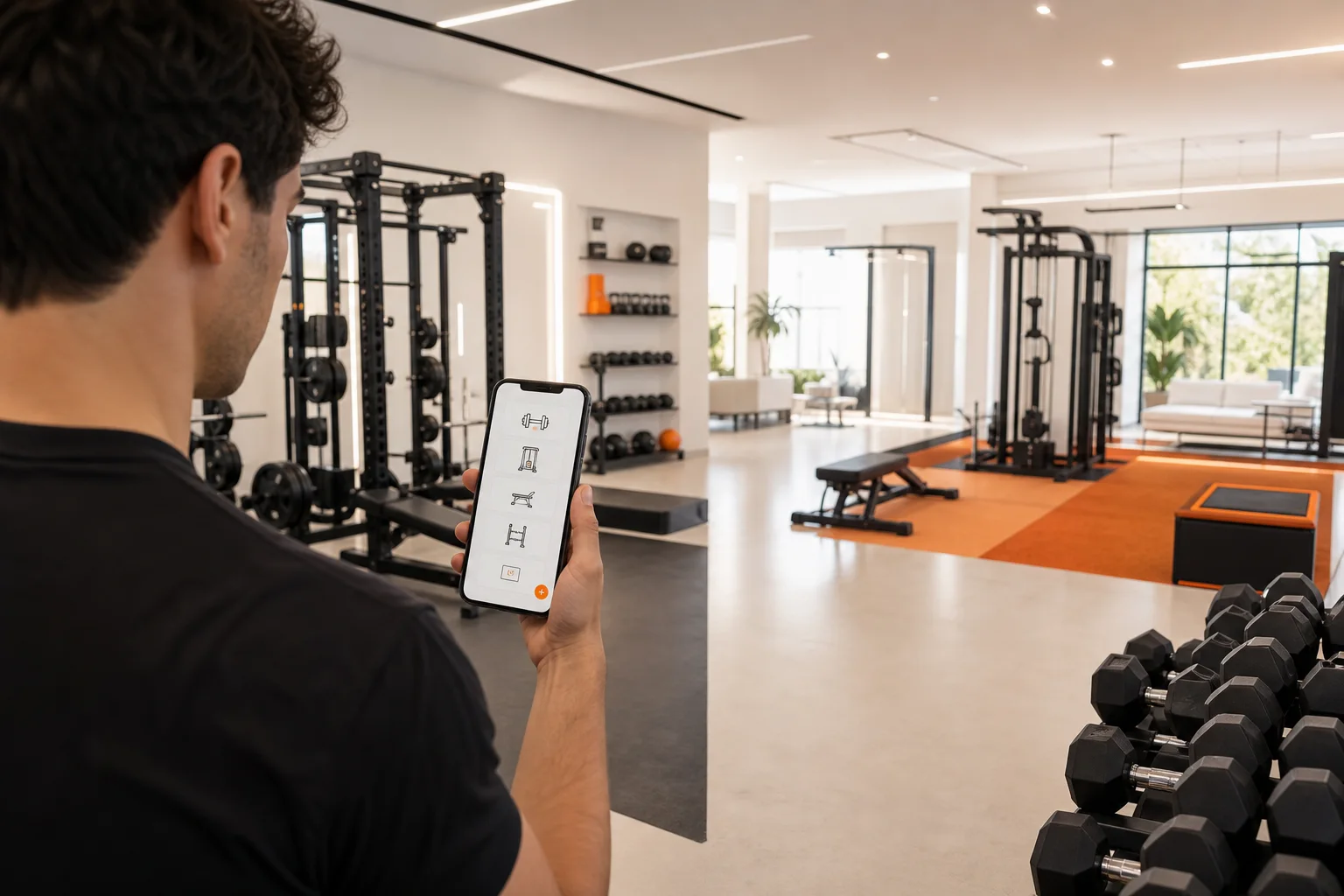
A gym equipment profile for workout planning gives trainers and gym teams a practical view of what members can actually use. Instead of designing a routine around ideal equipment, staff can plan around the machines, free weights, cables, benches, open space and alternatives available at a specific branch.
This matters because good program design depends on more than a member’s goal. Trainers also need to consider experience, exercise preferences, training time, technique and equipment availability. A clear equipment profile turns those details into useful planning information while keeping the member’s choices and permissions at the center.
What is a gym equipment profile for workout planning?
A gym equipment profile is a structured summary of the equipment and training resources available to a member or trainer. It can describe a complete branch, a training zone or the equipment a member prefers to use.
For workout planning, the profile should answer practical questions such as:
- Which equipment is available at the member’s usual branch?
- Which items are currently usable, limited or temporarily unavailable?
- What alternatives can replace a movement if a station is occupied?
- Does the member prefer machines, free weights, cables, bands or bodyweight training?
- Which exercises require coaching because of technical complexity?
- Can the program work if the member visits another approved branch?
This is not the same as a membership record. A membership may identify where someone is allowed to train, while an equipment preference describes how they want to train. Keeping these concepts separate makes planning more accurate and avoids assuming that every member has access to every item in every location.
Why equipment profiles improve gym workout program design
They make plans more realistic
A plan is easier to follow when the member can perform it with the equipment available during a normal visit. If a program depends on one specific machine that is often occupied, the member may lose time searching for alternatives or skip the exercise altogether.
Trainers can reduce this friction by assigning a primary exercise and one or two practical substitutions. For example, a cable row could have a chest-supported dumbbell row as an alternative. A barbell squat could be paired with a leg press, goblet squat or another appropriate variation depending on the member’s goal and training experience.
They support individual preferences
Equipment choice can affect comfort, confidence and consistency. Some members prefer machines because they offer a clear setup. Others enjoy free weights, cables, resistance bands or bodyweight exercises. Current resistance-training guidance also indicates that different equipment types can be effective, so the best choice is often the one the member can use consistently and safely with suitable coaching.
A profile can record preferences without treating them as permanent limitations. A member might prefer machines for lower-body training but use dumbbells for upper-body work. Another person may want a low-equipment plan for busy days and a full gym plan for longer sessions.
They help trainers plan across branches
Multi-location gyms need a clear way to account for branch differences. One location may have several cable stations and lifting platforms, while another may have a smaller free-weight area and more selectorized machines.
A branch-aware equipment profile helps a trainer create a plan that works at the member’s normal location while identifying what changes when the member visits another approved branch. This is more useful than treating the gym as one uniform facility.
Learn how a gym branch management app workflow can support multi-location operations.What to include in a useful equipment profile
1. Equipment categories
Start with broad categories before listing every individual item. Useful categories include:
- Barbells, plates and lifting platforms
- Dumbbells and adjustable weights
- Kettlebells and medicine balls
- Cable stations and attachments
- Selectorized resistance machines
- Benches, racks and squat stands
- Cardio equipment
- Resistance bands and suspension tools
- Open floor, turf or functional training space
Categories make it easier to build substitute options. They also help staff identify gaps without making the profile unnecessarily difficult to maintain.
2. Availability and access
Record whether equipment is available at a specific branch, restricted to a particular zone or commonly affected by high demand. If the gym uses booking or time restrictions, note those operational rules in the branch’s internal process rather than presenting the equipment as universally available.
Access should be handled separately from equipment preference. A member may prefer a lifting platform but only train at a branch where platforms are limited. The profile should help staff plan around that reality, not silently grant access or imply that all gym staff can view the member’s training information.
3. Condition and practical limitations
Equipment that is technically present may still be unsuitable for planning if it is being repaired, missing key attachments or difficult for the member to set up. A simple status such as available, limited or temporarily unavailable can be enough for planning purposes.
For example, a cable station may be available but have only one usable handle. A bench may be suitable for pressing but not adjustable enough for incline work. Small details like these help trainers choose better substitutions.
4. Exercise alternatives
The profile becomes most valuable when it connects equipment to movement options. Alternatives should be based on the same training purpose rather than looking identical.
- Horizontal push: chest press machine, dumbbell press or push-up variation
- Vertical pull: pulldown, assisted pull-up or banded pulldown
- Knee-dominant lower body: squat variation, leg press or split squat
- Hip-dominant lower body: deadlift variation, hip thrust or cable pull-through
- Loaded carry: farmer carry, suitcase carry or an appropriate hold
These are planning examples, not automatic prescriptions. A trainer still needs to select the option that matches the member’s goals, skill level, comfort and current program.
How gym teams can build the profile step by step
- Map each branch. List the equipment categories and major stations at every accessible location.
- Mark meaningful differences. Identify equipment that is unique, limited or frequently unavailable at each branch.
- Create substitution groups. Group movements by purpose so trainers can adapt a plan without starting over.
- Add member preferences manually. Let the member or trainer record preferred equipment, disliked movements and practical constraints.
- Review the profile during program updates. Equipment changes, branch moves and new training goals can make an old profile inaccurate.
- Keep permissions clear. Share only the programs, workout records and notes that the member has permitted the trainer or approved connection to review.
Manual setup is often the best starting point because it gives the gym team control over terminology and branch-specific details. Optional AI recognition may help identify equipment in some workflows, but it should support human review rather than replace a staff member’s confirmation.
Using equipment profiles with personal trainers
A useful workflow begins with the member’s actual training environment. The member can record or confirm equipment preferences, then permit a connected trainer to review the relevant programs, workout records and notes. The trainer uses that information to prepare a manual program or a program proposal that reflects the available equipment.
For example, a trainer might prepare a three-day plan with a primary exercise, a branch-friendly alternative and a short note explaining when to use each option. The member can then review the proposal and decide whether to save and use it.
This permission-based process is important for gyms. A gym connection should not be treated as unrestricted access to a member’s health or training data. Staff roles and approved connections should determine who can see which information, while the member remains in control of permitted training records.
Explore a better personal trainer workout program proposal workflow. Review the practical approach to personal trainer client data permissions.How GymPT can fit into the workflow
GymPT connects members, real personal trainers and gyms while keeping training information permission-based. A gym can manage its accessible branches, staff roles and approved connections. A trainer can review only the client-shared programs, workout records and notes that the member permits.
Members can build a manual program without AI credits, request optional AI assistance when available, or review and save a trainer’s proposal. Optional AI actions may require credits, and eligible Premium features have their own requirements shown before use. These tools can help organize choices, but the trainer’s judgment and the member’s decision remain essential.
For a gym team, the most practical approach is to treat an equipment profile as planning context:
- Use branch information to identify realistic exercise options.
- Use member preferences to improve comfort and adherence.
- Use trainer review to select suitable movements and progressions.
- Use permissions to keep shared data limited to the approved connection.
- Use the member’s review before a proposed program becomes part of their routine.
Common mistakes to avoid
Building a catalog instead of a planning tool
A long equipment list is not automatically useful. If it does not show branch differences, availability or alternatives, trainers still have to repeat the same investigation for every member.
Confusing membership with equipment preference
Where a member can train and what they prefer to use are separate questions. Keep both records clear so staff do not make assumptions about access or program suitability.
Making one plan depend on one machine
Single-equipment plans are fragile in busy gyms. Include alternatives that preserve the intended movement pattern or training goal.
Letting automation make the final decision
AI can help organize or recognize information, but it cannot replace a trainer’s assessment of exercise technique, context and member preference. Use automation as support for professional review.
Sharing more information than necessary
A gym equipment profile should not become a reason to expose unrelated member records. Keep access limited to the approved gym, branch, staff role, trainer connection and member permissions involved in the workflow.
Final checklist for gym managers
- Does every branch have an understandable equipment profile?
- Can trainers see practical alternatives for busy or unavailable stations?
- Are equipment preferences separate from membership and branch access?
- Can members confirm or change their preferences?
- Are trainer proposals reviewed by the member before use?
- Are programs, records and notes shared only through appropriate permissions?
- Does optional AI assist the workflow without replacing human judgment?
A thoughtful gym equipment profile for workout planning helps teams move from generic programming to practical, branch-aware training support. When combined with clear roles, approved connections and member review, it gives trainers better context without creating unrestricted access to personal training data.